How to get your digital code on geekay website?
Please follow the steps to get the code:
Step 1
Log in to your account.
Step 2
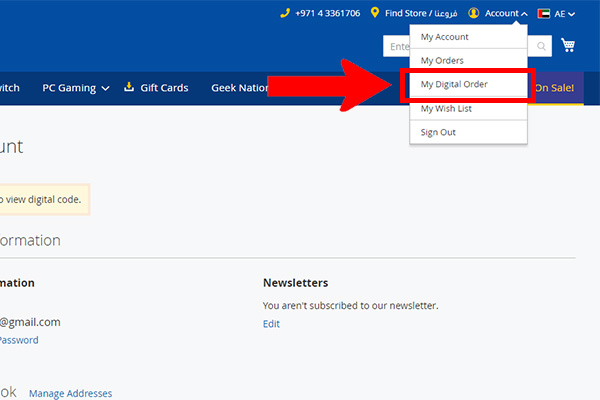
Click on account you will see your dashboard, Click on My Digital Order
Step 3
Click on "Generate" You will see your code is Generated
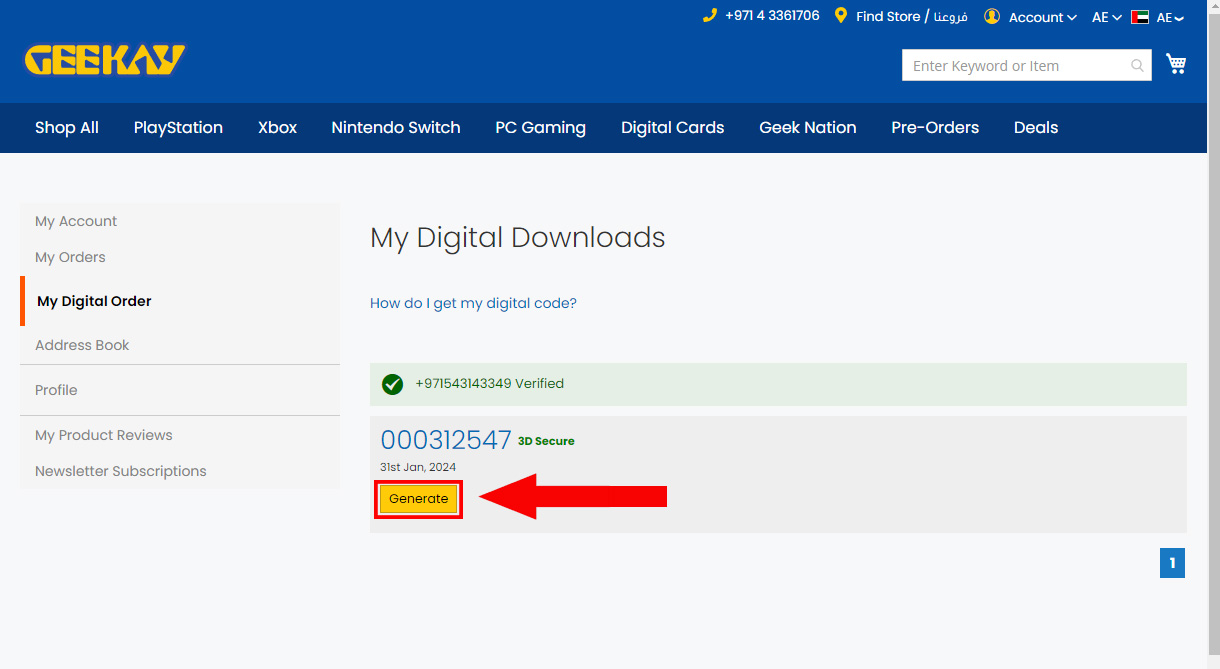
Once your code is generated, you’ll receive a confirmation message
If you have any trouble viewing the code, please contact our digital team at [email protected].
Step 1
Log in to your account.
Step 2
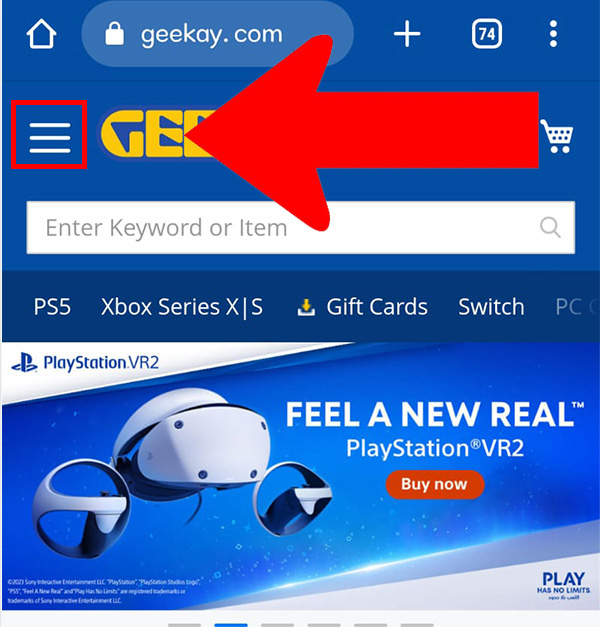
Click on 3 lines to view dashboard
Step 3
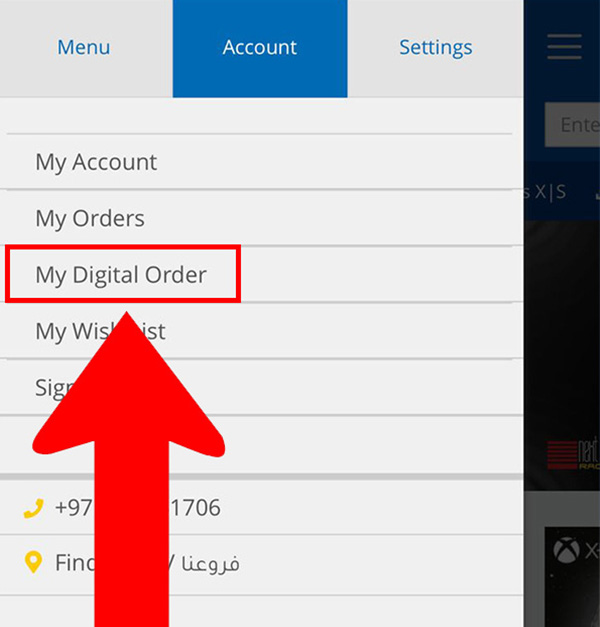
Click on My Digital Orders.
Step 4
Click on "Generate" You will see your code is Generated
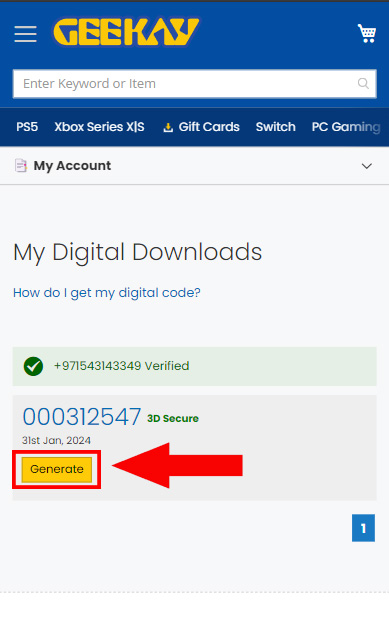
Once your code is generated, you’ll receive a confirmation message
If you have any trouble viewing the code, please contact our digital team at [email protected].